Usage Battery: a macOS menu bar app for Claude Code usage limits
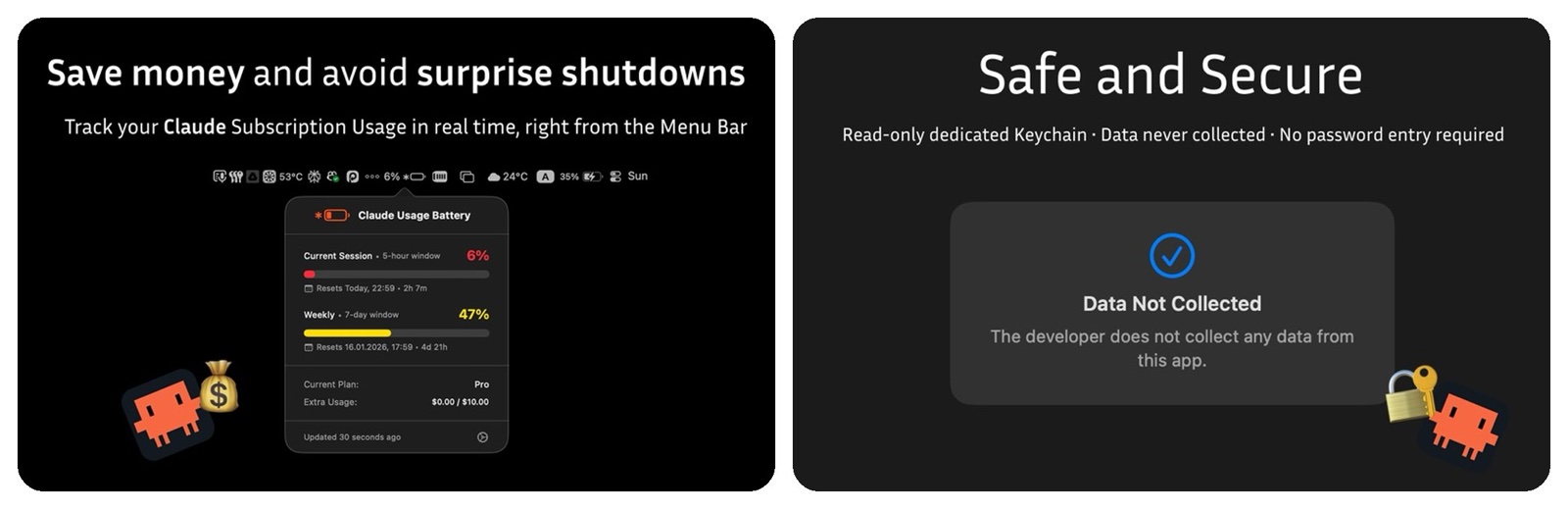
I built Usage Battery for Clode Code over a weekend. It is a small macOS menu bar app that tracks Claude Code usage limits in real time.
The problem was simple. When you code with Claude Code every day, you hit the usage cap at the worst moment, in the middle of a session. I wanted to see the limit coming instead of guessing.
What it shows
The app puts battery-style indicators in the menu bar. There is one for the 5-hour session, one for 7-day usage, and one for the Sonnet model limit. Each indicator changes color as you use more: green, orange, then red.
Click the icon and a popover opens with the details. You get progress bars and reset timers, so you know when each limit starts over.
How it handles access
The app needs your Claude Code credentials to read usage. It gets the OAuth token through the macOS Keychain, and only there. It does not store any data. You can revoke access at any time.
It talks only to Anthropic, so no usage data goes anywhere else. It is built with SwiftUI for macOS.
Who it is for
It is for developers who rely on Claude Code daily and want to plan their work around the limits. If you have ever been cut off halfway through a task, you know why.
It is a pet project, and I keep it light on purpose. A menu bar icon, a click for details, nothing more.
The app is on the Mac App Store: Usage Battery for Clode Code.
Originally posted on LinkedIn.